When to Use This Playbook
Situations Requiring Advanced Debugging
Claude has been trying to fix the same bug for 20+ minutes You've re-prompted 5 times with no progress Claude keeps suggesting the same failed solution The bug is clearly beyond Claude's pattern recognition You're burning through context with no results
The 20-Minute Rule
If you've been stuck for 20 minutes: Stop, take a 5-minute break, ask 'Am I using the right tool for this?', choose a new strategy, set a timer for another 20 minutes. If still stuck after that, ask a human. There's no shame in asking for help.
The Debug Decision Tree
Choose Your Debugging Strategy
Can you fix in 2 minutes? → Fix it yourself Is this a logic puzzle? → Fix it yourself Does Claude need more context? → Use Context Gathering Mode Is Claude using wrong approach? → Use Approach Redirect Need methodical investigation? → Use Systematic Debugging Mode Want to collaborate? → Use Human-AI Pair Debugging Tried everything? → Use The Nuclear Option (fresh start)
Strategy 1: Context Gathering Mode
When to Use
Claude doesn't understand the system, bug involves multiple interconnected parts, or Claude is making incorrect assumptions.
The Process
Step 1: Stop debugging attempts. Say: 'Stop trying to fix this. Let's gather context first.' Step 2: Systematic context gathering. Ask: How does system A connect to B? What's the data flow? What are all files involved? What are the dependencies? Are there similar implementations to reference? Step 3: Build understanding together. Have Claude explain how the system works, where the bug likely originates, what expected behavior should be. Don't suggest fixes yet. Step 4: Verify understanding. Review Claude's explanation, correct any misunderstandings, add missing context. Step 5: Now debug systematically with proper understanding.
Results
Time: 15-30 minutes. Success rate: High for complex system bugs.
Strategy 2: Approach Redirect
When to Use
Claude is stuck in one approach, you see a better way, or Claude's pattern matching is failing.
The Process
Step 1: Acknowledge and redirect. Say: 'I see what you're trying. Let's try a different approach. Instead of [Claude's approach], let's [your approach]. Start by [specific first step].' Step 2: Be very specific. Don't say 'Try debugging this differently'. Do say 'Add console.log statements at these 3 specific locations: Line 45 before API call, Line 67 after parsing response, Line 89 in error handler.' Step 3: One step at a time. Don't give Claude the whole plan. Give one specific action, see result, then next action.
Results
Time: 10-20 minutes. Success rate: High when you have clear alternative approach.
Strategy 3: Systematic Debugging
When to Use
Bug is reproducible but cause unknown. Both Claude and you don't understand root cause. Need methodical investigation.
The Process
Step 1: Reproduce reliably. Create minimal reproduction with specific steps, expected result, actual result. Document exactly what happens. Step 2: Binary search the problem. Add logging at 5 checkpoints. Run reproduction. Report what each checkpoint shows. Step 3: Isolate the component. Based on logs, narrow down between which checkpoints it breaks. Extract that code into separate test function with minimal inputs and detailed logging. Step 4: Form hypothesis. Based on isolated test, what's your hypothesis about root cause? Don't fix yet, just explain what you think is happening and why. Step 5: Test hypothesis. Run specific test. If hypothesis is correct, we should see expected result. If wrong, we'll see different result. Step 6: Fix and verify. Implement the fix. Then verify by running original reproduction, running test suite, checking edge cases.
Results
Time: 30-60 minutes. Success rate: Very high for systematic bugs.
Strategy 4: Human-AI Pair Debugging
When to Use
Bug is tricky and benefits from collaboration. You have ideas but want Claude to implement. Need to think through multiple possibilities.
The Process
Step 1: Explain the bug to Claude like a colleague. Here's what I'm seeing, here's what I've tried, here's what I'm thinking might be wrong. What do you think? Any other possibilities I'm missing? Step 2: Brainstorm together. Let's brainstorm possible causes. Don't filter, just list. You start, give me 5 possible causes. Step 3: Prioritize together. Of those possibilities, which 2-3 are most likely based on symptoms, codebase architecture, and common patterns for this type of bug? Explain your reasoning. Step 4: Divide and conquer. I'll investigate possibility 1 manually. You investigate possibility 2 by specific method. Let's compare findings. Step 5: Collaborate on fix. Based on what we found, here's my proposed fix. Implement it, but make these specific changes.
Results
Time: 20-40 minutes. Success rate: High for collaborative problem-solving.
Strategy 5: The Nuclear Option
When to Use
Tried everything. 1+ hour stuck. Context nearly depleted. Bug is clearly beyond current approach.
The Process
Step 1: Document everything before starting over. What we've tried (be specific), what we've learned, what didn't work and why, current hypothesis, files involved, steps to reproduce. Save to dev/debugging/[bug-name]-[date].md Step 2: Fresh conversation. Start new Claude Code session. Don't copy/paste the old conversation. Step 3: Present as new problem with brief description. Symptoms, files involved, reproduction steps, what we know (key findings only). Let's debug this methodically from scratch. What's your first step?
Results
Time: 15 minutes + new debugging session. Success rate: Moderate (fresh perspective helps).
Debugging Anti-Patterns
Anti-Pattern 1: Infinite Re-prompting
Don't say: 'Try again', 'That didn't work, try something else', 'Fix the bug'. Better: Give specific direction or change strategy.
Anti-Pattern 2: Vague Descriptions
Don't say: 'The user thing isn't working', 'There's an error somewhere', 'It's broken'. Better: Exact error message, steps to reproduce, expected vs actual behavior.
Anti-Pattern 3: Letting Claude Guess
Don't say: 'Why might this be broken?', 'What could cause this?', 'Just try different things'. Better: Systematic investigation with specific tests.
Anti-Pattern 4: Not Reading Claude's Code
Don't: Assume Claude's fix works, not review what changed, move on without verification. Better: Review every change, understand every fix.
Anti-Pattern 5: Fighting with Wrong Tool
Don't: Use Claude for trivial syntax errors, use Claude for problems you understand better, use Claude when a debugger would be faster. Better: Know when to step in yourself.
When to Use Your Debugger
Use Actual Debugger For
Tracking variable values through execution Understanding complex conditional logic Stepping through async operations Investigating timing issues Deep call stack analysis
Use Claude For
Understanding unfamiliar code Researching error messages Refactoring working code Generating test cases Pattern matching against codebase
Post-Debug: Capture Learning
After Every Tough Bug, Document
Symptom: What we saw Root Cause: What actually was wrong Why It Was Hard: Why this was tricky to debug How We Solved It: Strategy that worked Prevention: How to avoid this in future Add to Skills: Pattern or check to add to skills
This Becomes Team Knowledge
Next time this pattern appears, you'll solve it in minutes, not hours. The best teams don't just have great tools—they have great processes for when tools aren't enough.
Use a counterexample to narrow the hypothesis
Observe before explaining
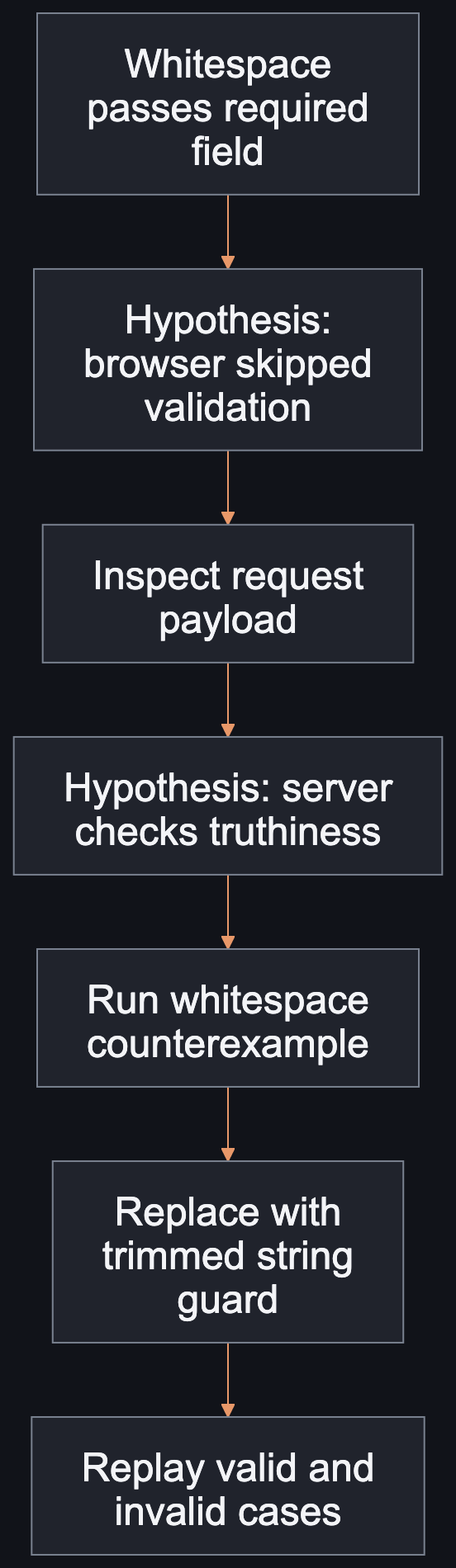
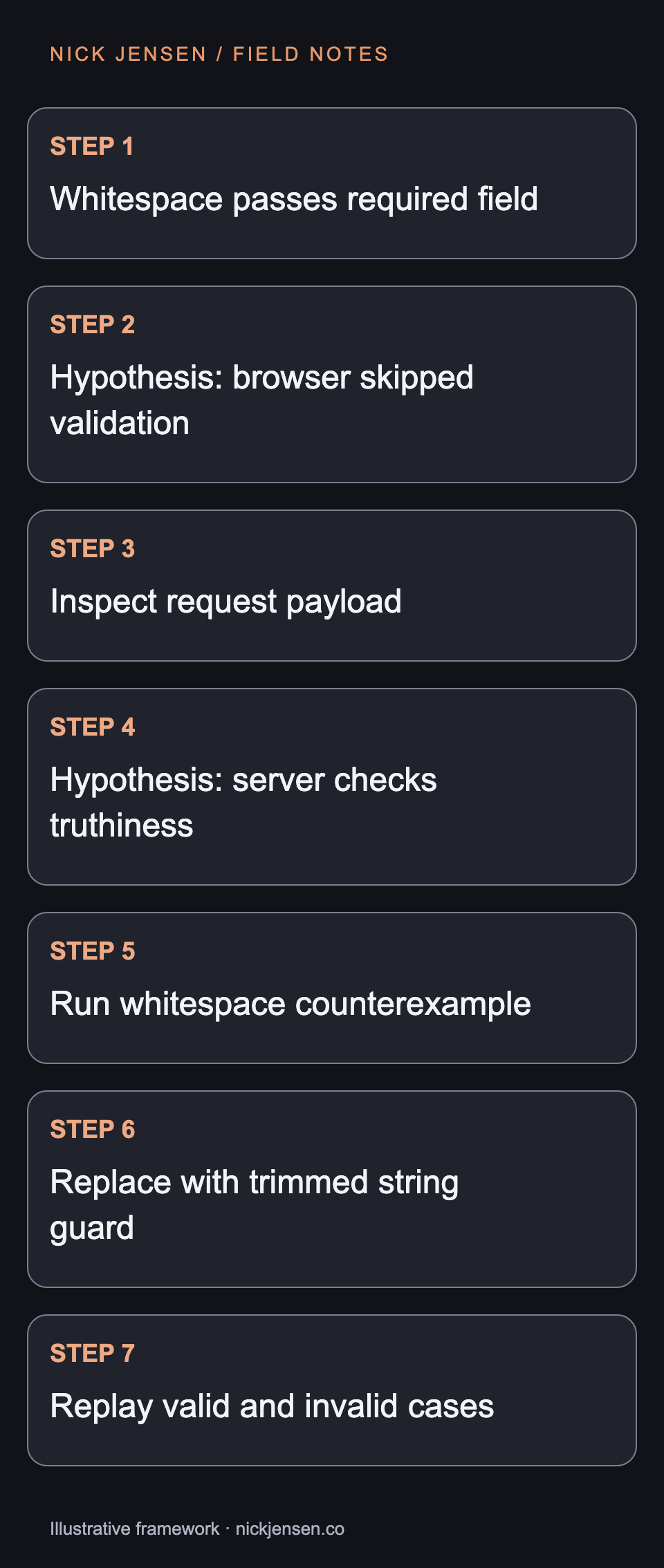
A required-name form accepts a string containing one space. The observation is precise: one input passed. It does not establish whether browser validation, server validation, or persistence is responsible. Write down the request and response in a synthetic environment before changing multiple layers. The hypothesis tree shows a bounded investigation. Check the submitted payload, locate the guard used by the real handler, and run the smallest counterexample against that rule. This avoids treating the first plausible explanation as the root cause.
The hypothesis tree
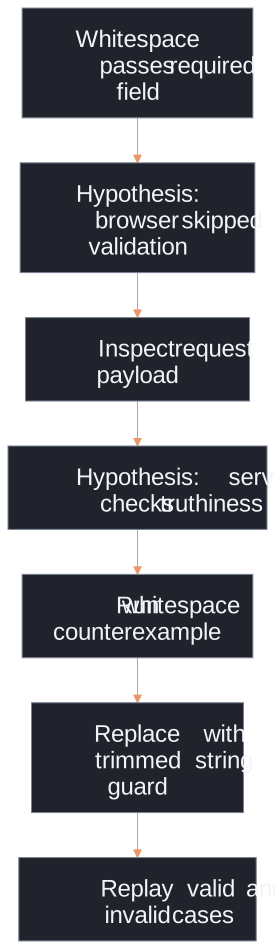
Use the whitespace counterexample to distinguish a browser hypothesis from a server truthiness defect, then replay valid and invalid inputs.
Illustrative framework · Graphic by Nick JensenRead the diagram as text
Flow from whitespace passes required field, then hypothesis: browser skipped validation, then inspect request payload, then hypothesis: server checks truthiness, then run whitespace counterexample, then replace with trimmed string guard, then replay valid and invalid cases. Use the whitespace counterexample to distinguish a browser hypothesis from a server truthiness defect, then replay valid and invalid inputs.
Run the experiment
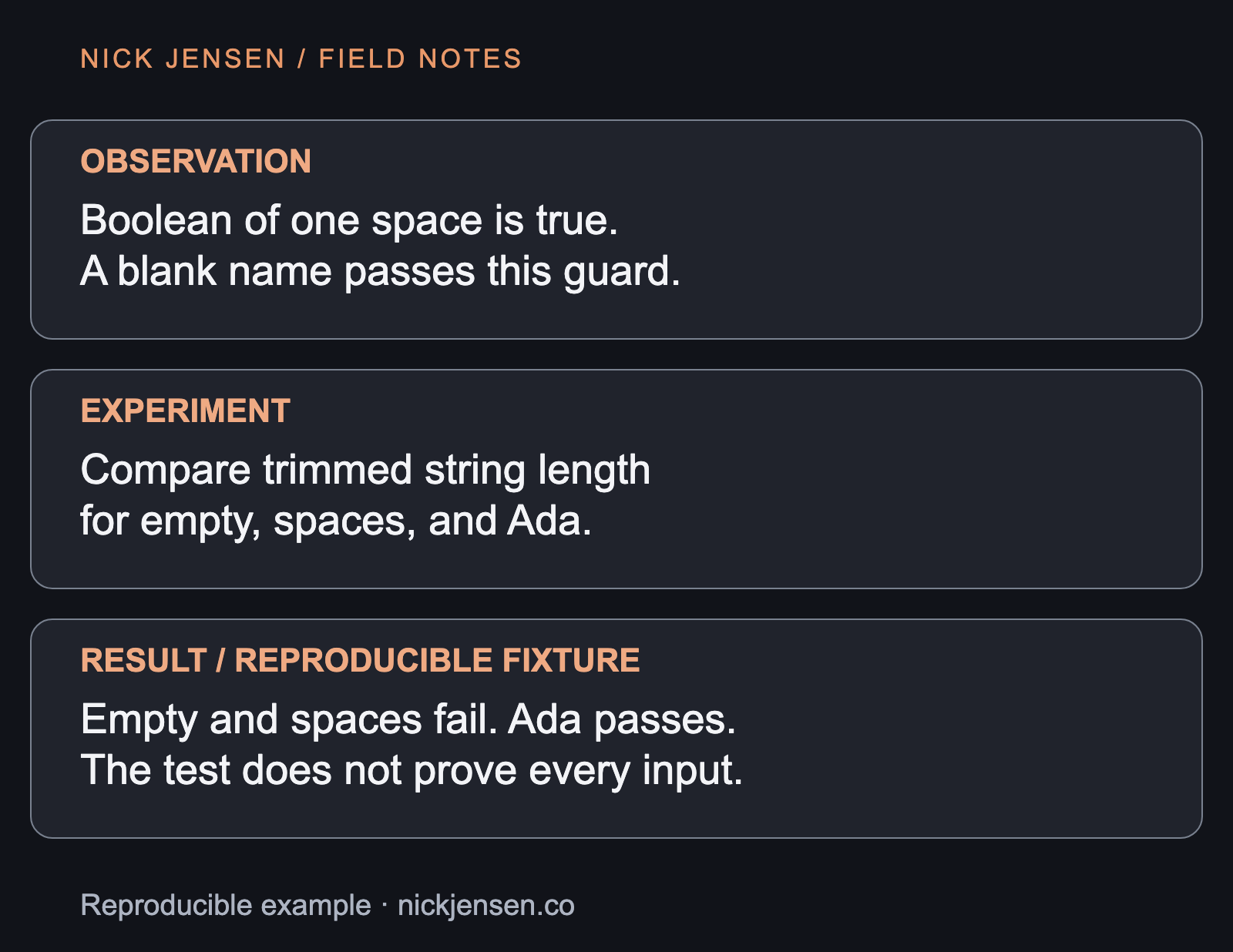
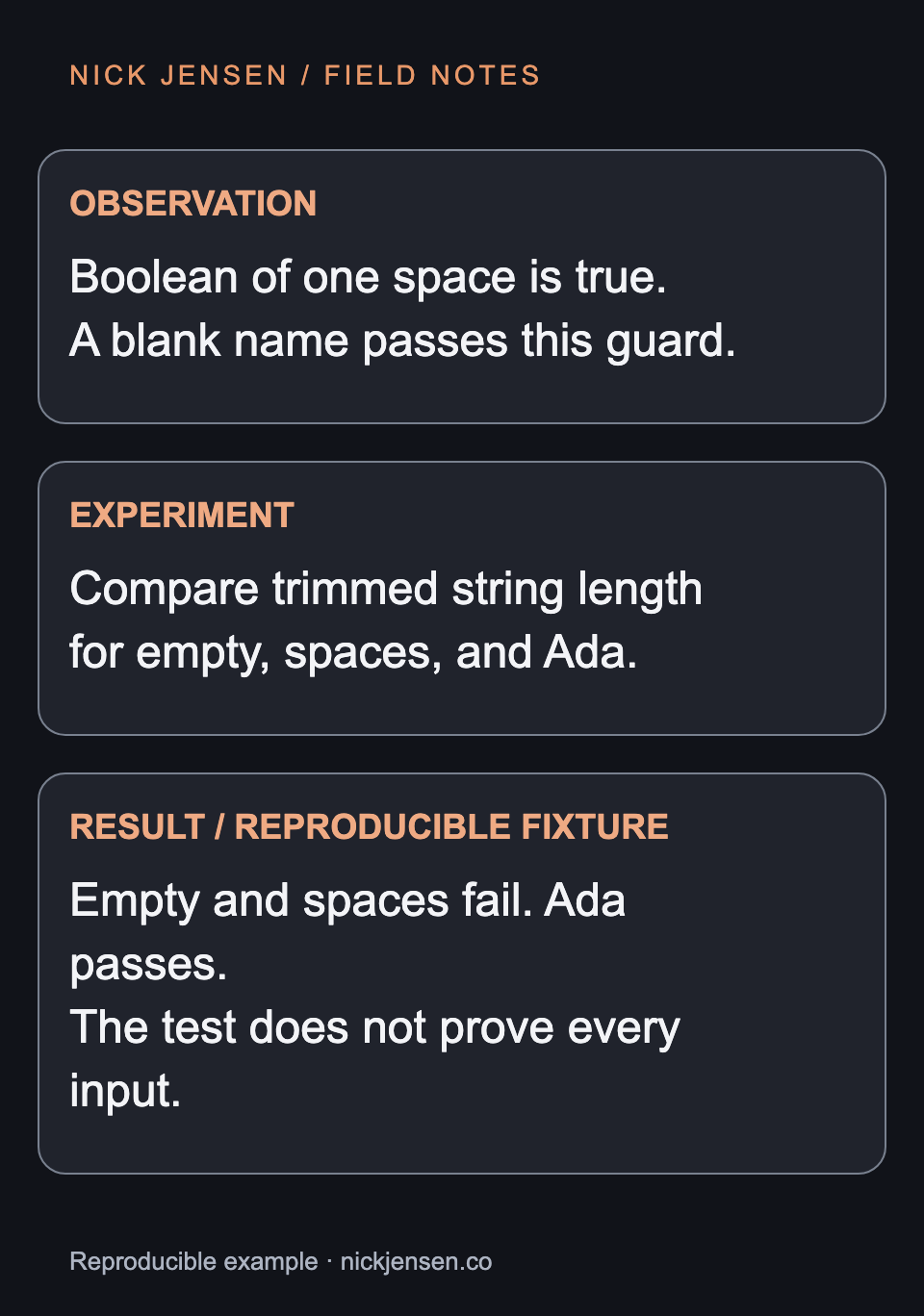
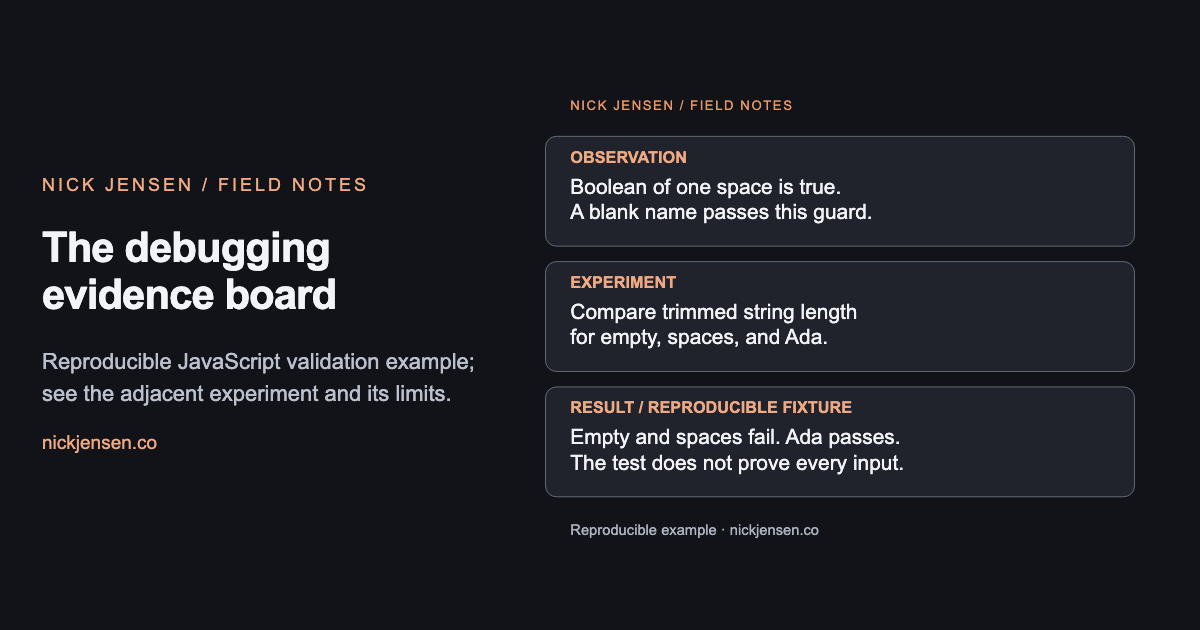
Boolean of a whitespace string is true. A guard requiring a string with trimmed length greater than zero rejects spaces while accepting Ada. The editorial example tests execute those facts and also cover empty, null, and numeric values. The evidence board separates the observation, the experiment, and the result. It makes a narrow claim about this guard. It does not claim to solve every possible display-name requirement or prove that the production handler calls the corrected function.
The debugging evidence board
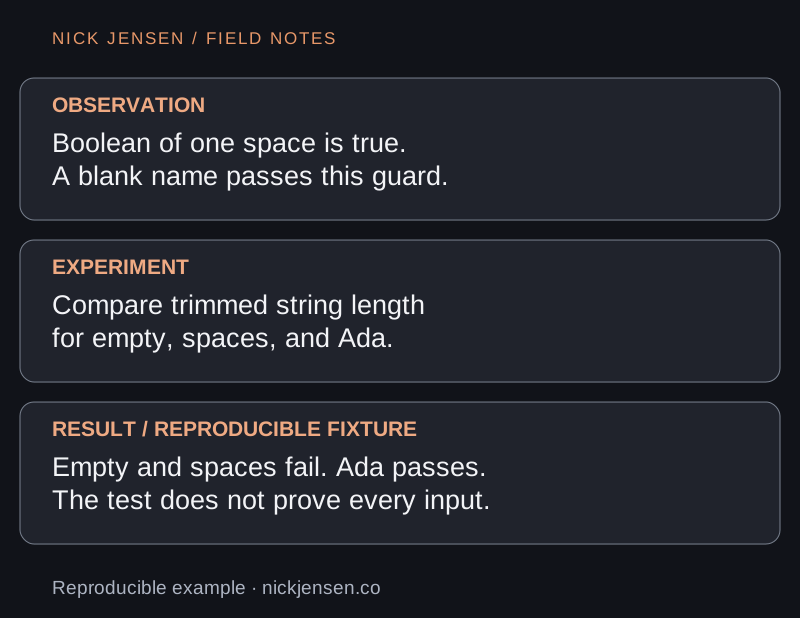
Reproducible JavaScript validation example; see the adjacent experiment and its limits.
Reproducible example · Graphic by Nick JensenRead the diagram as text
Observation: Boolean of one space is true. A blank name passes this guard.; Experiment: Compare trimmed string length for empty, spaces, and Ada.; Result / reproducible fixture: Empty and spaces fail. Ada passes. The test does not prove every input. Reproducible JavaScript validation example; see the adjacent experiment and its limits.
1 const validName = value => 2 typeof value === 'string' && value.trim().length > 0 3 console.assert(Boolean(' ') === true) 4 for (const value of ['', ' ', null, 42]) { 5 console.assert(validName(value) === false) 6 } 7 console.assert(validName('Ada') === true) 8 // Next: prove the real handler uses this rule and returns a useful error.
Follow the boundary back out
After correcting the rule, submit the same payload through the handler and verify that no record is created. Then exercise the browser correction path: the person should see a specific error and be able to enter a valid name without losing unrelated input. If the failure disappears only in the pure function test, the integration may still use a different path. If the database rejects the value but the user sees a success message, the remaining defect is in error propagation. Let the next observation choose the next layer.
Keep the useful uncertainty
A small reproduction saves time by excluding unrelated hypotheses. Its tradeoff is scope: a narrow fixture cannot demonstrate real concurrency, provider behavior, or production configuration. State that limit in the incident note and hand off unresolved boundaries explicitly. Finish by retaining a regression case that fails under the original truthiness guard. Avoid keeping a broad test that merely repeats the corrected implementation. For the test-layer choices behind this exercise, read testing AI-generated code beyond the green checkmark.